Advanced usage
Specific tasks that go beyond the everyday "screenshot a command's output." Most of these have a dedicated under-the-hood page if you want the full picture.
Capture pagers, REPLs, and TUI splash screens
Programs that don't exit on their own would block the read loop
forever. --timeout SIGKILLs the child after N seconds and renders
whatever was on screen:
When the timeout fires, Shotty draws a cursor block on the rendered
shot to signal "this is a live snapshot," not "the command ran to
completion." See --timeout and the cursor
for the mechanics, common timeouts per-tool, and what won't work
(full TUIs that switch to the alternate screen — vim, htop).
CI gates: fail when docs are stale
--check renders into memory and compares against the existing PNG;
never writes. Exits non-zero if any target is missing or has drifted.
Drop-in replacement for shotty && git diff --exit-code docs/images/:
Output is one line per shot: [emoji] <path> missing|OK|changed.
Live preview in your terminal
In iTerm2 / Kitty / Ghostty / WezTerm, the freshly-written PNG is also displayed inline in your terminal as soon as it's written:
--inline auto (the default) detects support via env vars. on
forces, off disables. See Inline images.
Capture inline images from child commands
Shotty decodes iTerm2 OSC 1337 and Kitty graphics emitted by child commands and composites them into the screenshot. The most fun consequence: a child shotty rendered inside the outer's frame:
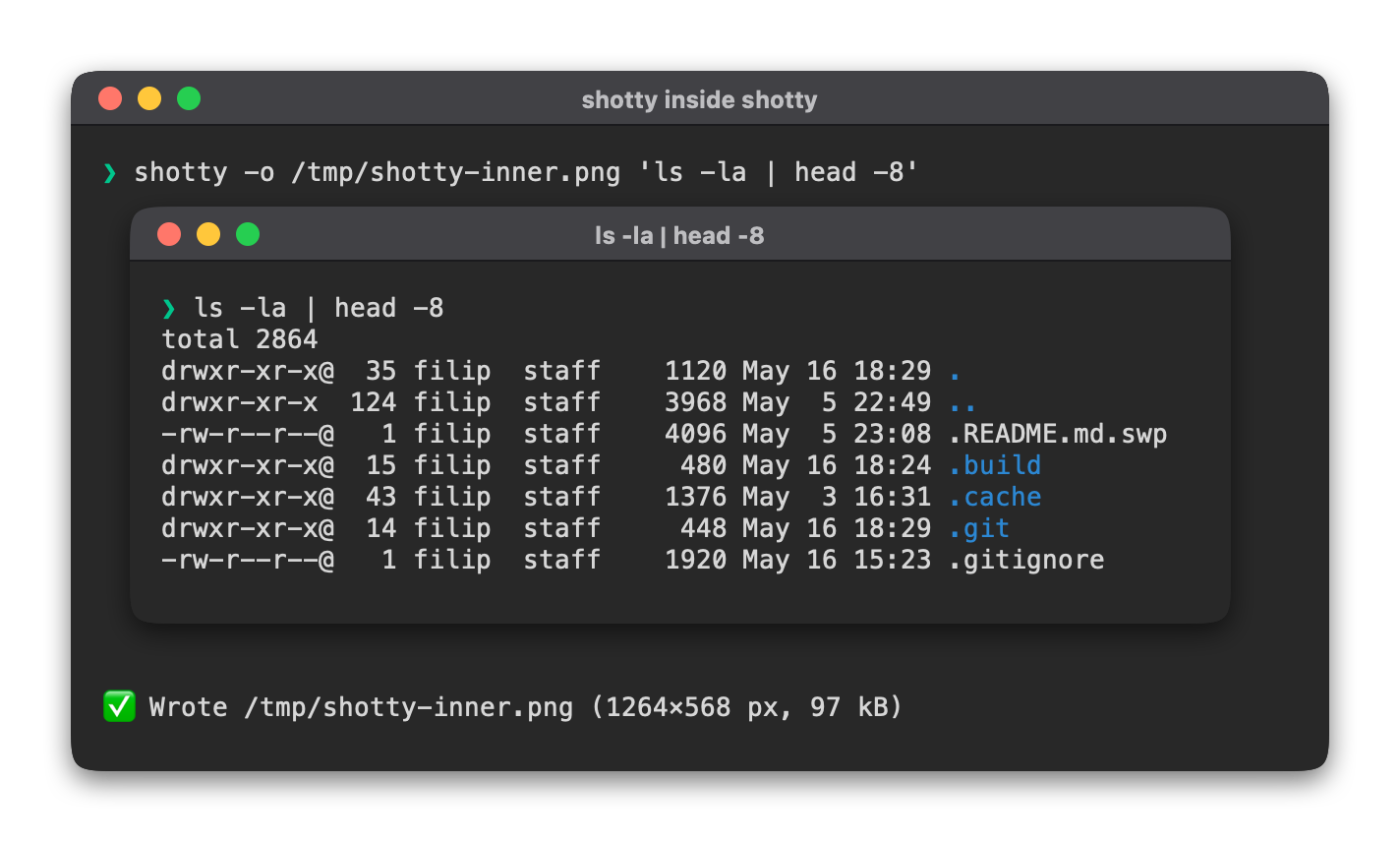
The same trick works for imgcat, wezterm imgcat, kitten icat,
chafa --format=kitty, or any custom script that base64-and-emits.
See Inline images.
Force a rewrite
Identical pixels are skipped by default to keep mtimes stable.
--force writes anyway — useful when only metadata-affecting flags
have changed (e.g. you toggled --embed-command on shots whose
pixels are stable):
Embed the command in PNG metadata
Off by default — commands often contain user paths or env-leaking
bits. Opt in with --embed-command to write the original
command = "..." (or command = [...]) into the PNG's
UserComment, in the same TOML shape as a [[shot]] entry:
shotty --embed-command "ls -la" -o ls.png
exiftool -UserComment -b ls.png
# → ...
# → command = "ls -la"
Anyone with the PNG can paste-reproduce the shot.
Where to next
- Keep doc screenshots in sync — the
shotty.tomlworkflow. - CLI reference — every flag.
- Under-the-hood deep dives:
Inline images,
--timeoutand the cursor, Atomic writes & idempotency, Terminal emulation.