Terminal emulation
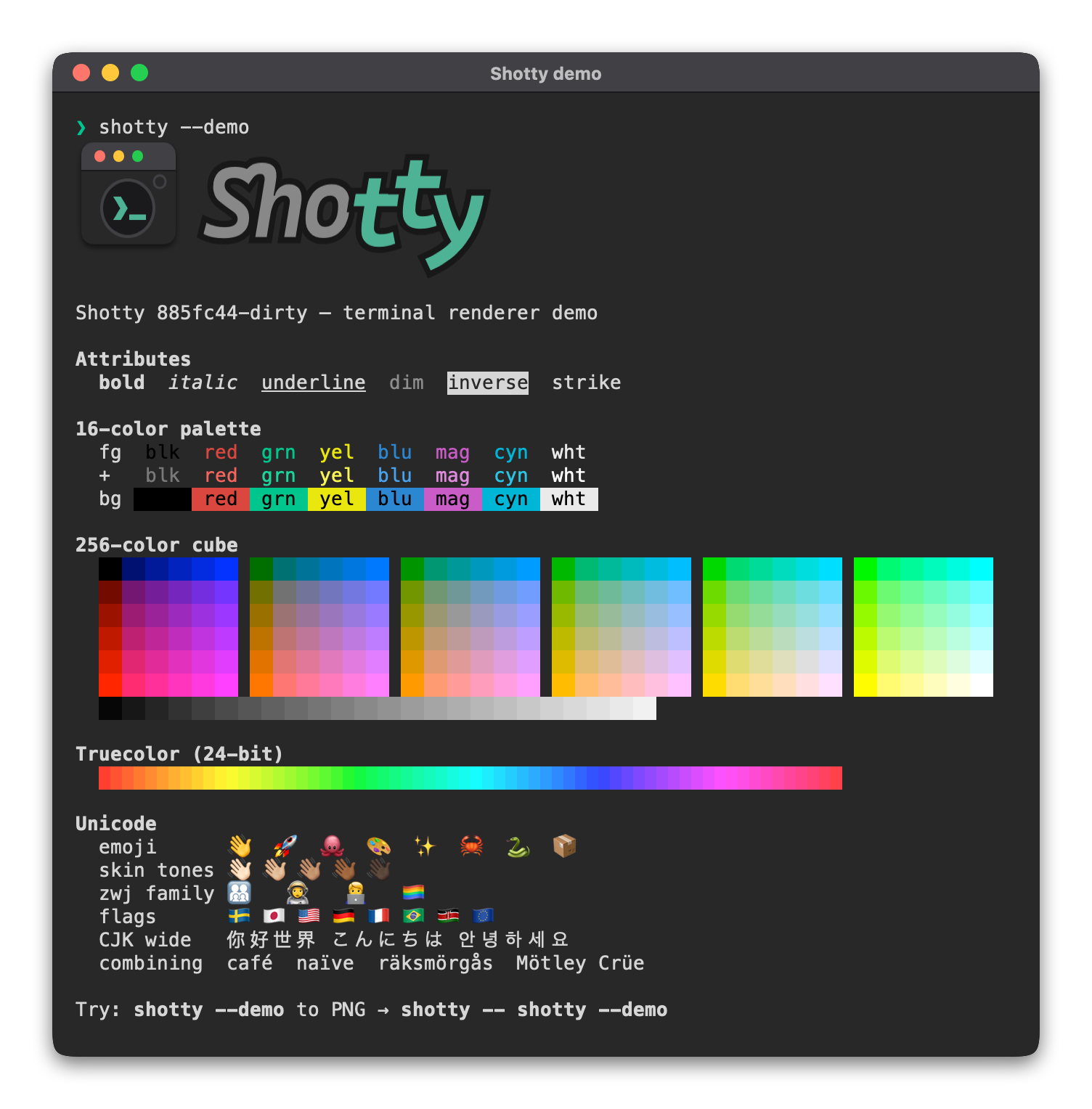
Shotty's renderer is a line-oriented terminal emulator. Most of what a real terminal does is supported; some advanced things deliberately aren't, because they don't make sense for a snapshot tool.
What's supported
ANSI styling (SGR)
| Feature | Status |
|---|---|
16 colors (30-37, 40-47, 90-97, 100-107) |
✓ |
256 colors (38;5;N, 48;5;N) |
✓ |
Truecolor (38;2;R;G;B, 48;2;R;G;B) |
✓ |
| Bold | ✓ (CoreText falls back to a bold font variant) |
| Dim | ✓ (color is multiplied by 0.6) |
| Italic | ✓ |
| Underline | ✓ |
| Inverse | ✓ |
Cursor movement
| Feature | Status |
|---|---|
\n, \r, \b, \t |
✓ |
Cursor up/down/forward/back (CSI A/B/C/D) |
✓ |
Cursor next/previous line (CSI E/F) |
✓ |
Cursor column absolute (CSI G) |
✓ |
Cursor position (CSI H, CSI f) |
✓ |
Erase in line (CSI K) |
✓ |
Erase in display (CSI J) |
✓ |
Unicode rendering
| Feature | Status |
|---|---|
| UTF-8 multi-byte decoding | ✓ |
| Grapheme clustering (combining marks, ZWJ) | ✓ |
| Compound emoji (👨👩👧👦) | ✓ |
| Skin-tone modifiers (👍🏽) | ✓ |
| Regional indicator flags (🇸🇪) | ✓ |
| East Asian wide chars (你好) | ✓ |
Glyph fallback to Apple Color Emoji is automatic via CoreText.
Other escape sequences
| Sequence | What we do |
|---|---|
| OSC 1337 (iTerm2 inline images) | Decoded as embedded image |
| APC G (Kitty graphics) | Decoded as embedded image |
| Other OSC | Swallowed silently |
DEC private modes (CSI ? ... h/l) |
Ignored |
Charset designation (ESC ( B, etc.) |
One-byte skip |
What's not yet supported
- Alternate screen buffer (
CSI ?1049h/l) — used by full-screen TUIs likevim,htop,nvim,less(mostly),tmux. Without alt-screen handling, those programs render their pre-startup output mixed with whatever fragment they emit before the screen swap.--timeoutis the workaround when you just want a startup-screen snapshot. - Scroll regions (
CSI r) — required for some TUI redraw patterns. - Mouse reporting — irrelevant for a one-shot snapshot.
- Sixel — different graphics protocol, less common than OSC 1337 / Kitty.
- Light theme — the dark theme is hard-coded for now.
Why line-oriented?
Shotty targets the use case of "screenshot the output of a CLI command
for documentation or sharing." For that use case (ls, git, cargo,
build logs, REPL prompts), line-oriented emulation is enough — and
keeping it line-oriented keeps the codebase smaller than a full
xterm-class emulator.
See also
- Inline images — OSC 1337 + Kitty graphics
--timeoutand the cursor — capturing TUIs