Code screenshots
Pair shotty with bat (or any other syntax-highlighting CLI)
and you have a one-liner that produces social-media-ready code shots
in seconds, without leaving the terminal, without a web app, and
without the copy-paste round-trip.
shotty --font CascadiaCode-Regular --font-size 14 \
    "bat --color=always --paging=never -p src/main.swift"
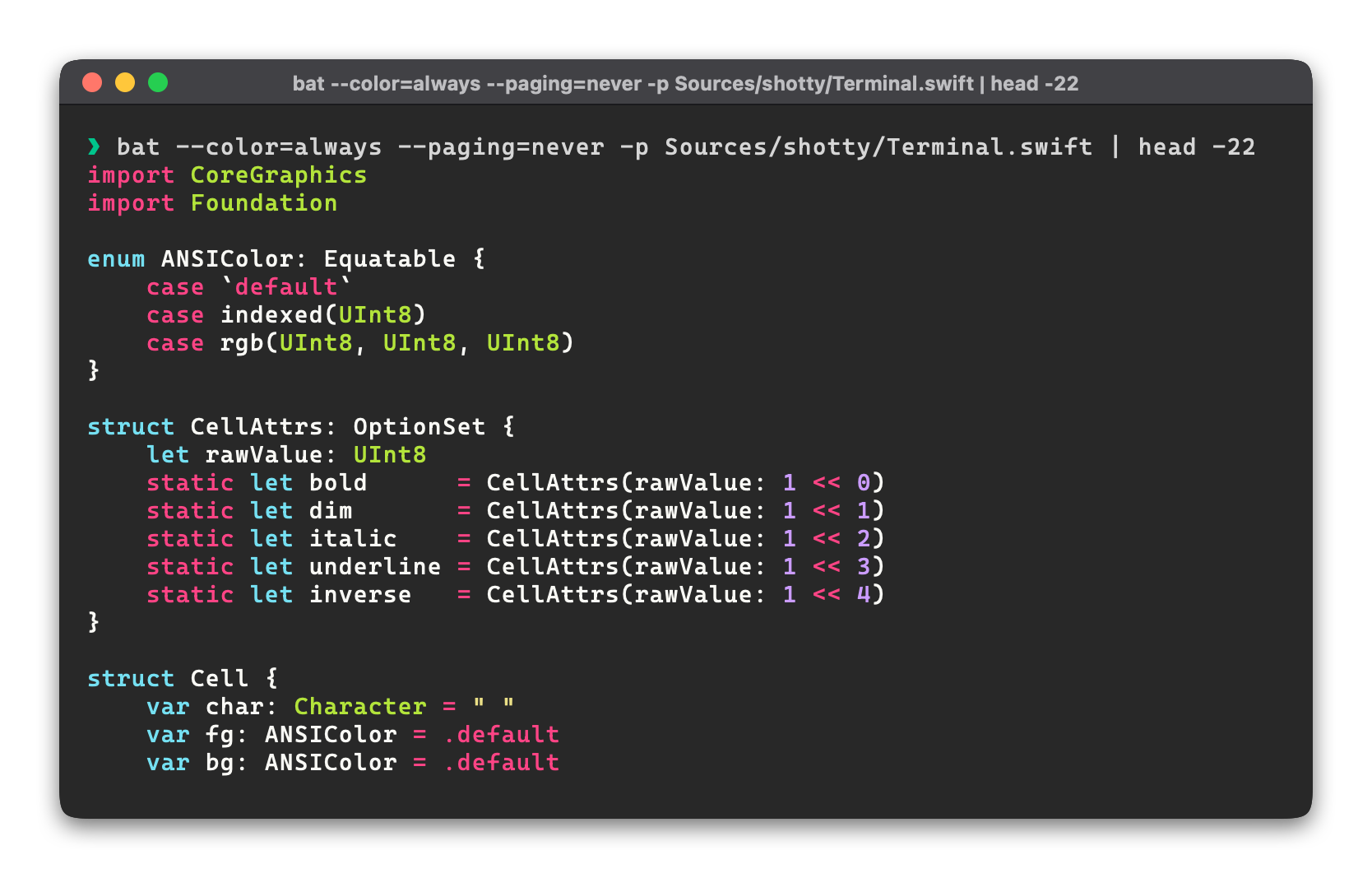
The division of labour: bat does the syntax highlighting, shotty
wraps it in clean macOS chrome and writes the PNG.
Recommended setup
shotty \
    --font CascadiaCode-Regular --font-size 14 --line-height 1.3 \
    --title "src/main.swift" \
    "bat --color=always --paging=never --style=numbers,grid src/main.swift"
What each flag is doing:
--font+--font-size— pick something with programming ligatures or a clearer monospace than Menlo.--list-fontsto see what you've got.--line-height 1.3— code reads better with more vertical breathing room than prose.--title— overrides the auto-prompt header with just the filename.--style=numbers,grid— bat's default chrome (line numbers, gutter separator) looks great inside shotty's window.--paging=never— keepsbatfrom openingless(which would hang under PTY without--timeout).
Trim the chrome for embeds
For a slide, hero image, or social post where the macOS window frame distracts from the code:
shotty --no-title --no-shadow --margin 0 --snug \
    "bat --color=always --paging=never -p src/main.swift"
You're left with just the colored cell grid and bat's syntax highlighting.
Other syntax highlighters
Anything that emits ANSI works the same way:
| Tool | What it's for |
|---|---|
bat |
General-purpose, ~200 syntaxes, beautiful default chrome. |
pygmentize -f terminal256 |
Pygments — broadest language coverage. |
highlight -O ansi |
Lots of themes, scriptable. |
chroma --formatter terminal256 |
Go-native, fast. |
delta |
Git diffs (git -c core.pager=delta diff …). |
glow |
Markdown rendering. |
prettier / eslint / cargo check |
Lint output and error messages. |
Diffs
delta for git diffs is especially nice — colored hunk headers,
highlighted intra-line changes, file separators:
Pair with --no-snug so the diff context doesn't get trimmed
when only a few lines changed.
See also
- Basic usage — the underlying flags, in context.
--font+--list-fonts— every available font.--timeout— if you forgot--paging=neverandbat's pager is hanging.