--timeout and the cursor
The --timeout flag
By default, Shotty reads from the child's PTY until the child closes
its slave end (i.e., exits). For ls, git, cat README.md, that's
fine — they finish on their own. For pagers, REPLs, and TUIs that
wait for input, the read loop would block forever.
--timeout N adds a deadline. After N seconds:
- Send
SIGKILLto the child. - Drain any kernel-buffered output until
read(master)returns EIO (typically a few milliseconds). - Render whatever was captured.
- Reap the child with
waitpid— guaranteed not to block, since SIGKILL is uncatchable.
We use SIGKILL rather than SIGTERM on purpose. A program that catches SIGTERM and "cleanly" exits often emits teardown bytes — leaving the alt screen, resetting SGR, clearing the screen, printing a goodbye line — any of which can corrupt the snapshot we wanted by mutating the screen state at the last moment. SIGKILL freezes the program exactly where it was.
The cursor block
When (and only when) --timeout actually fires, Shotty draws a
filled foreground-color block at the cursor's final position:
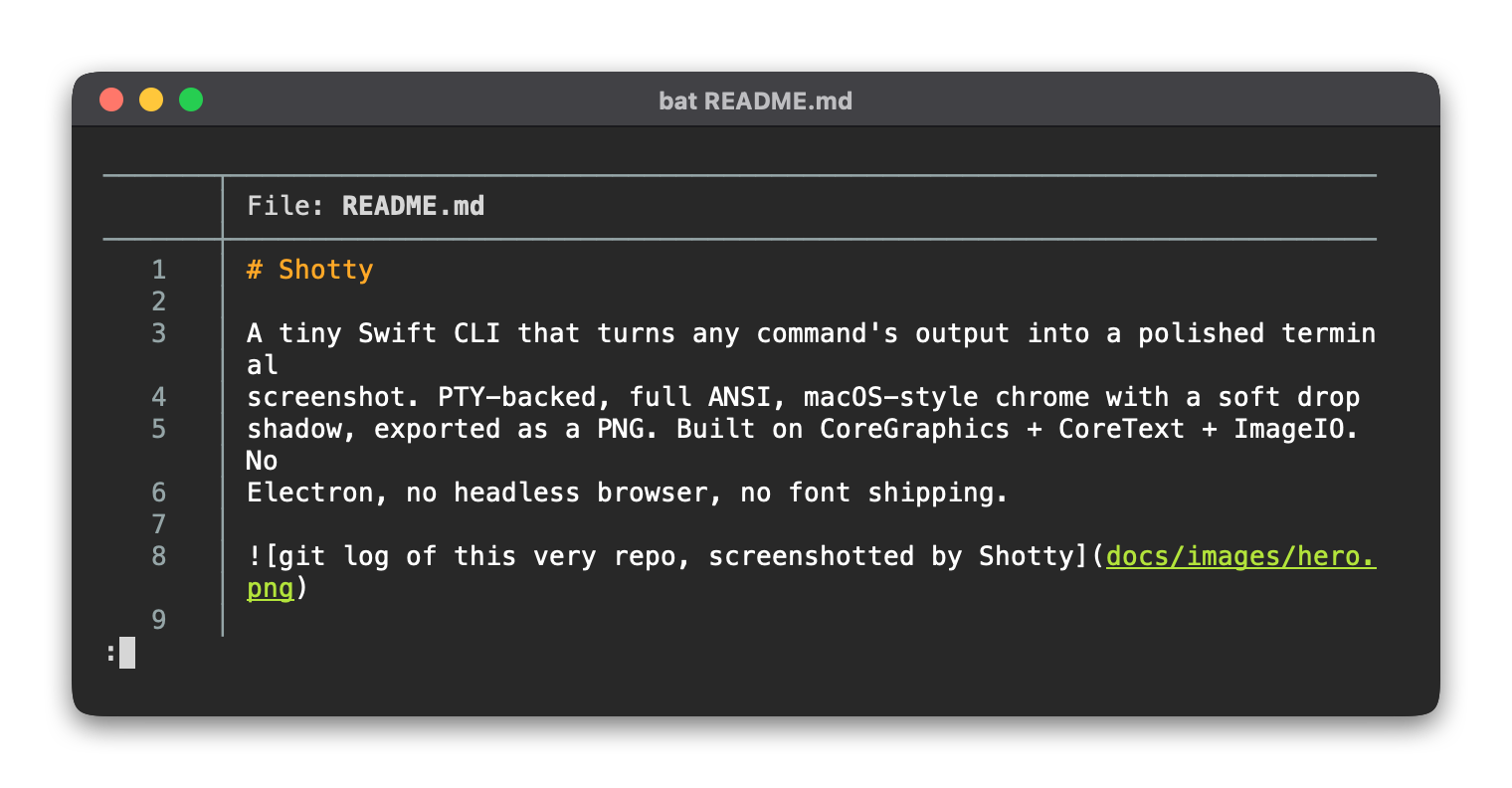
This is deliberate. The cursor signals "this is what's on screen right now" — a live snapshot — instead of "the command finished and exited." For naturally-completed commands, no cursor is drawn.
The cursor is positioned at grid.cursor.row, grid.cursor.col
after all output has been parsed. For pagers, that's typically next
to the : prompt at the bottom-left. For REPLs, it's after the
prompt.
Common targets
| Tool | Suggested timeout |
|---|---|
less, man, bat (with pager) |
1.5–2 s |
REPLs (python, node, irb, ghci) |
1 s |
TUI splash screens (zellij, helix) |
2–3 s |
watch some-command |
one frame's worth |
What it doesn't fix
--timeout snapshots whatever the program managed to draw before
being interrupted. For programs that switch to the alternate screen
buffer (full TUIs
like vim, htop, nvim), the pre-switch output is what gets
captured — usually not what you want.
For pagers and REPL prompts that paint into the regular screen, this works great.
See also
- Terminal emulation — what shotty supports
--timeoutflag